OWN Tracker
Near you, it rings.
Away from you, it shows where it was last reported.
A small Bluetooth tracker for your keys, your bag, the car or the cat. Ring it from the OWN app when you are close; when you are not, phones that pass near it report where it is. No GPS, no SIM, and a coin cell you change yourself.
- No GPS, no SIM
- Replaceable CR2032
- iPhone and Android


What it does
Three ways to find it. And one thing it does not do.
The OWN Tracker works with the OWN app. This is what each part does, and where it stops.
See where it was last reported
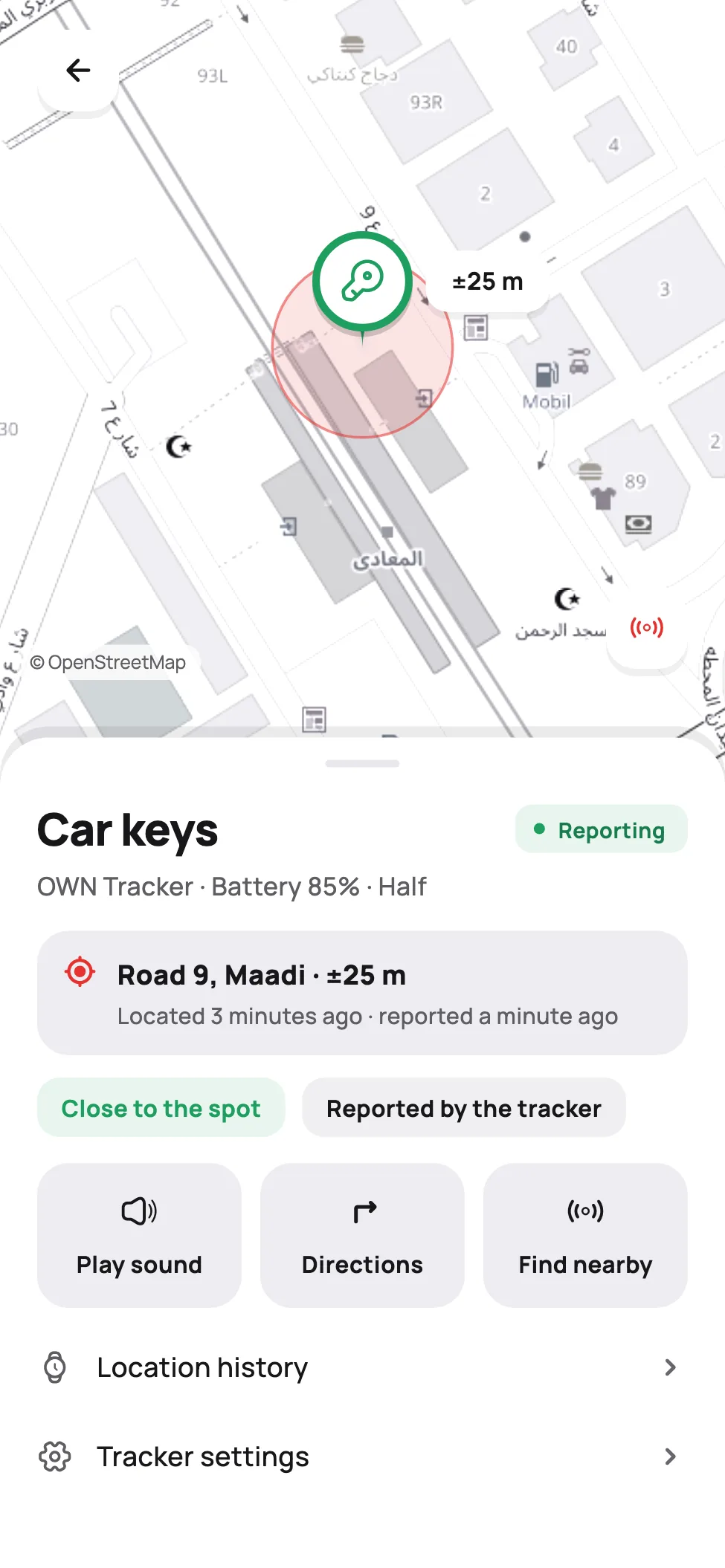
Phones on the network that pass near it report where it is, in any country. The map shows the last report, with a circle for how sure that position is.
Last reportedRoad 9, Maadia minute agoRing it
Tap Play sound and it rings. Ringing goes over Bluetooth, so your phone has to be close: out of reach, keep the screen open and walk towards it, and it rings as soon as your phone gets there.

Find it in the room
A reading that goes from Far to Here as you get closer, and ticks faster.
Far
It is not live GPS
It has no GPS and no SIM card. It shows where it was last reported, not a moving position. The busier the place, the fresher the report; somewhere nobody passes, the last one can be hours old.
What to put it on
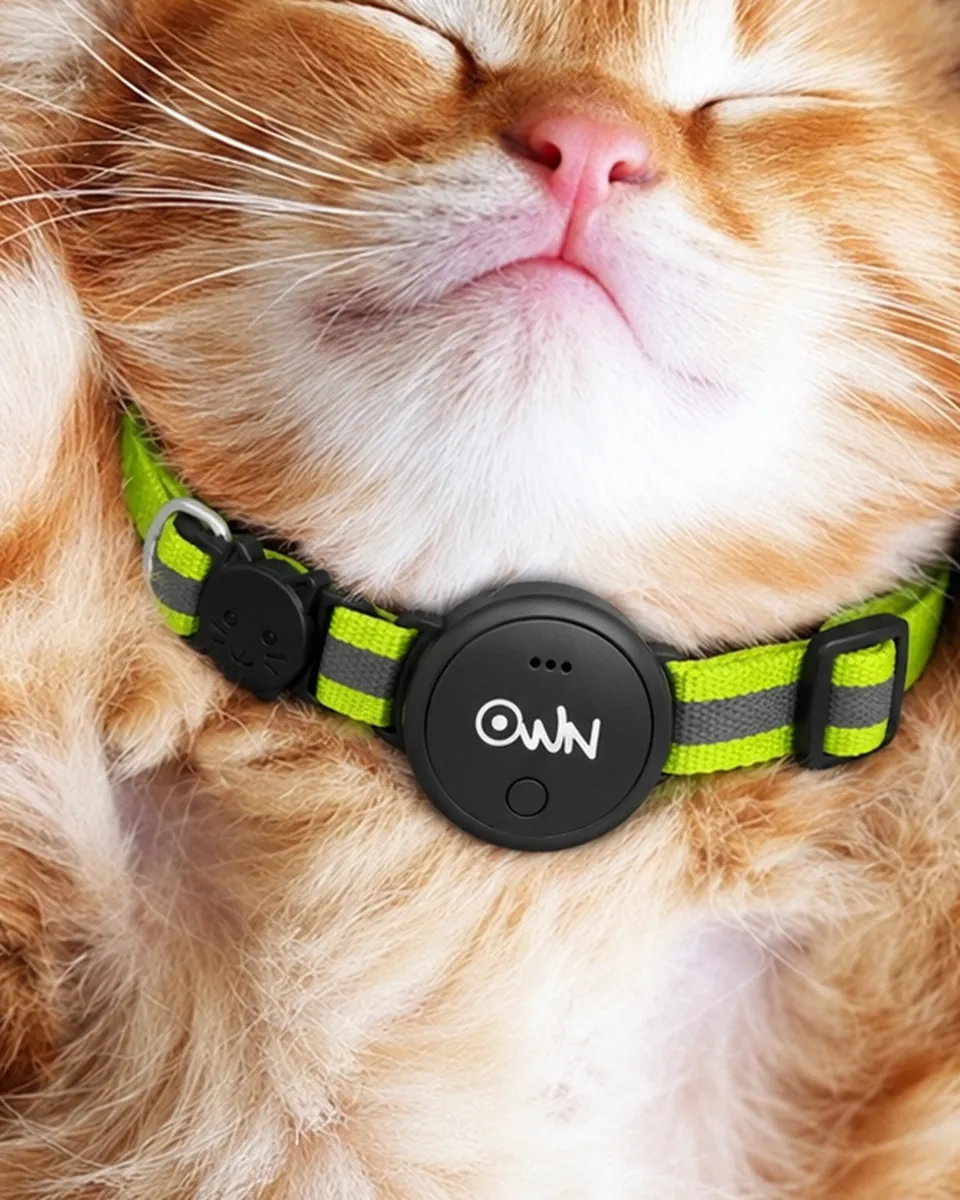
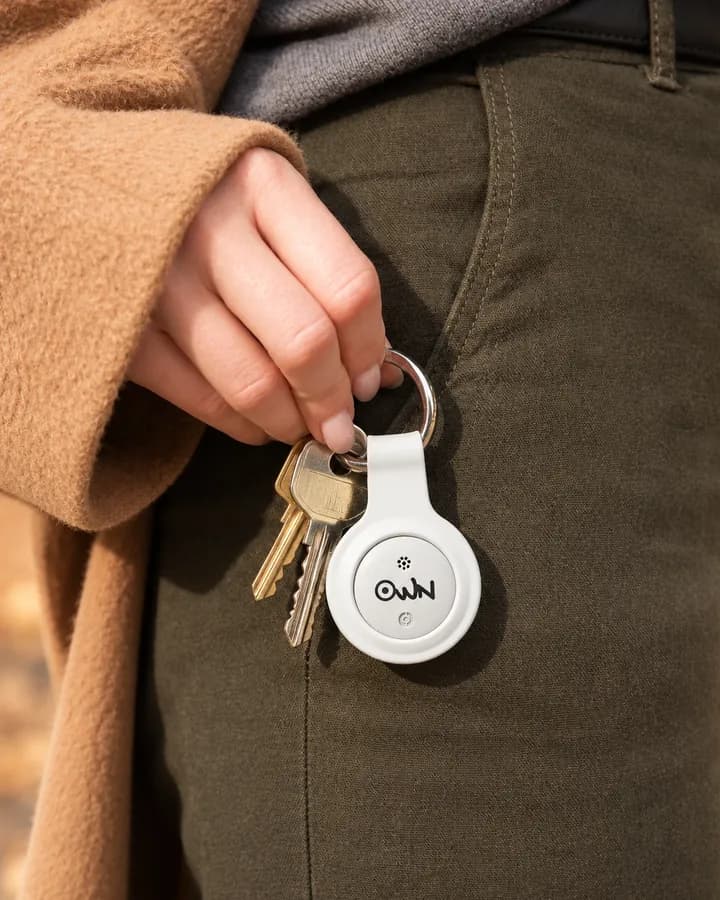
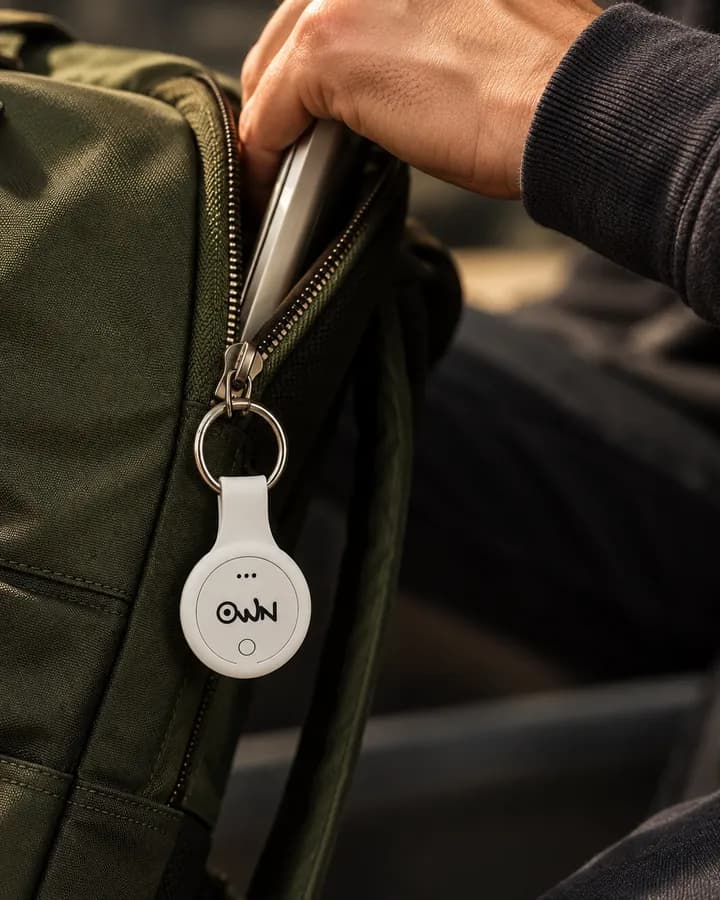
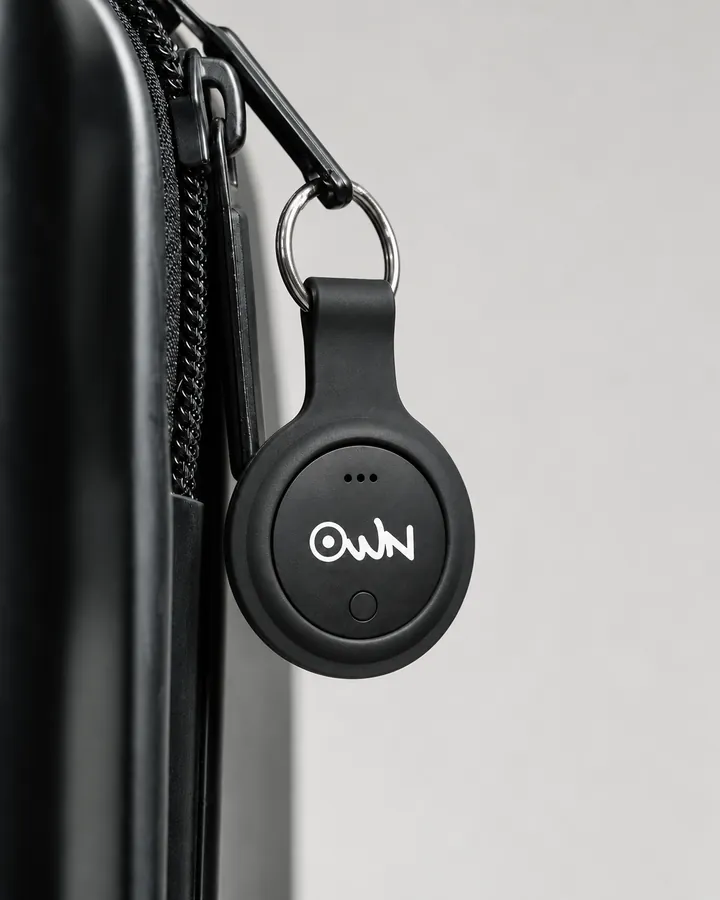
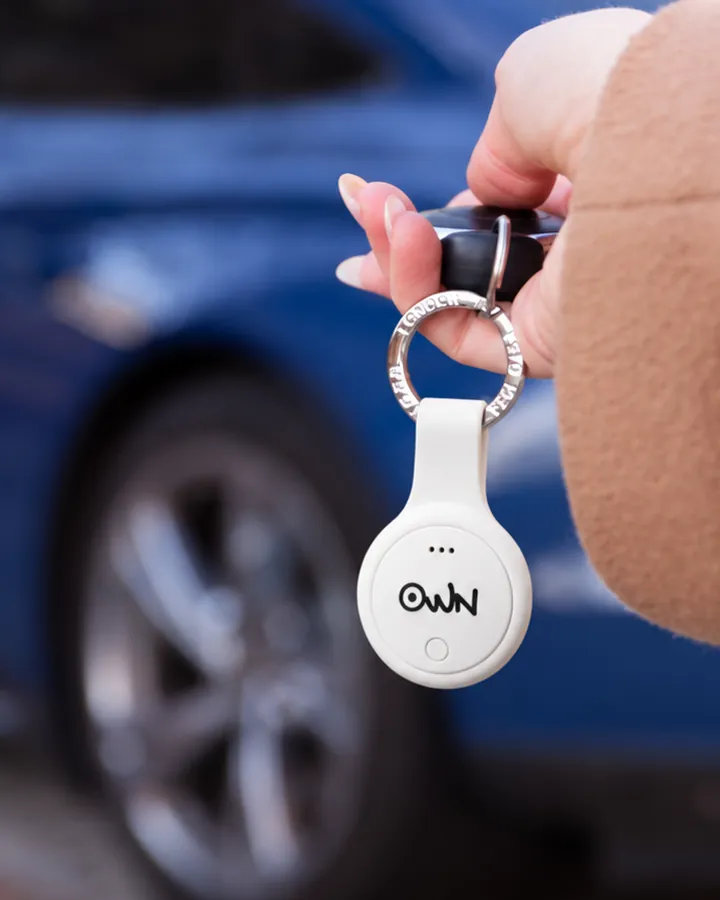
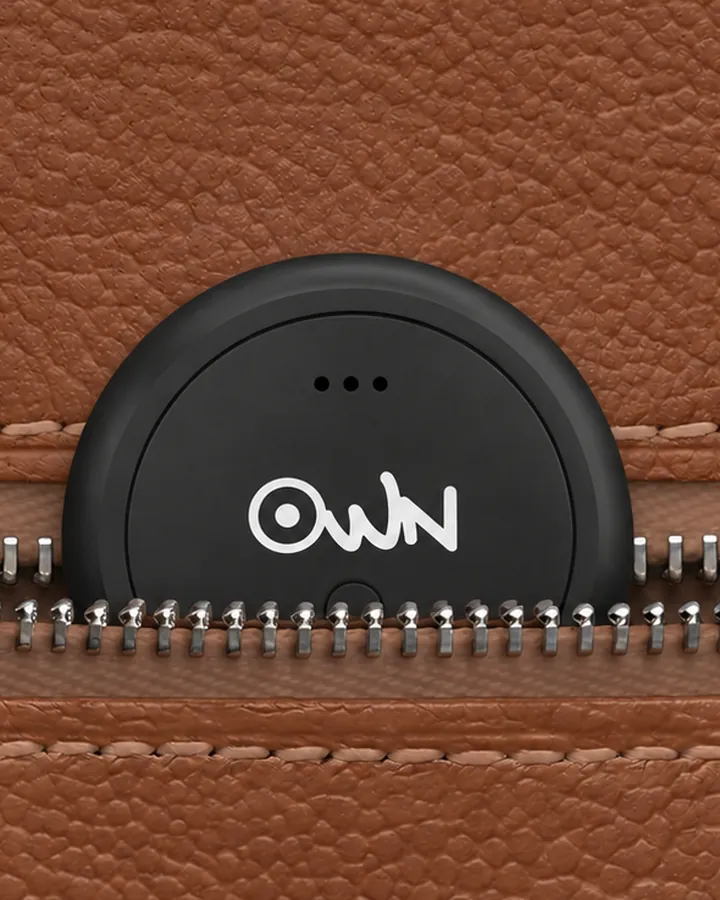
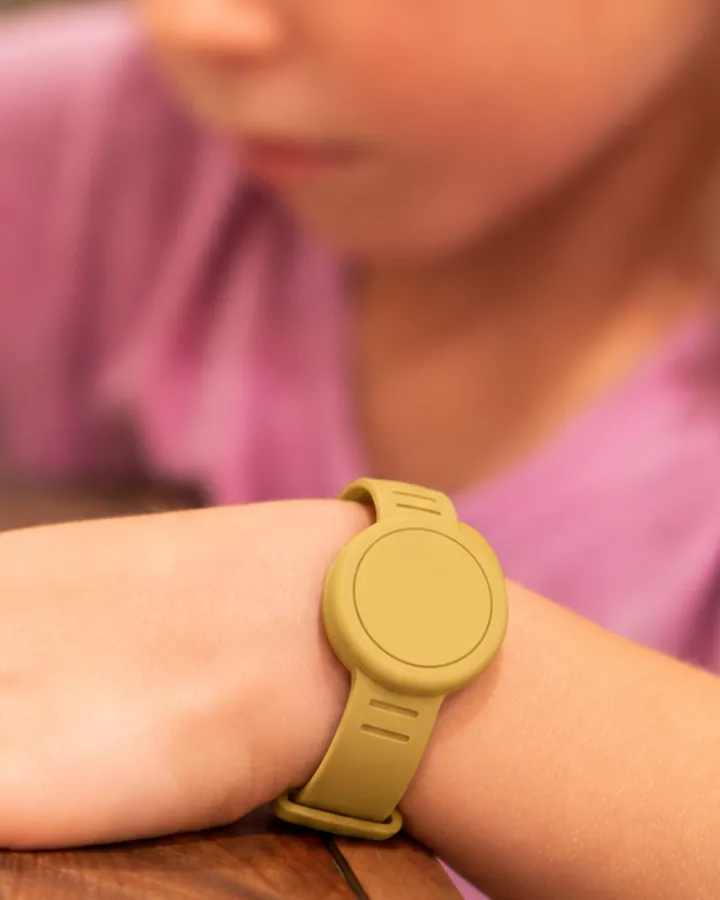
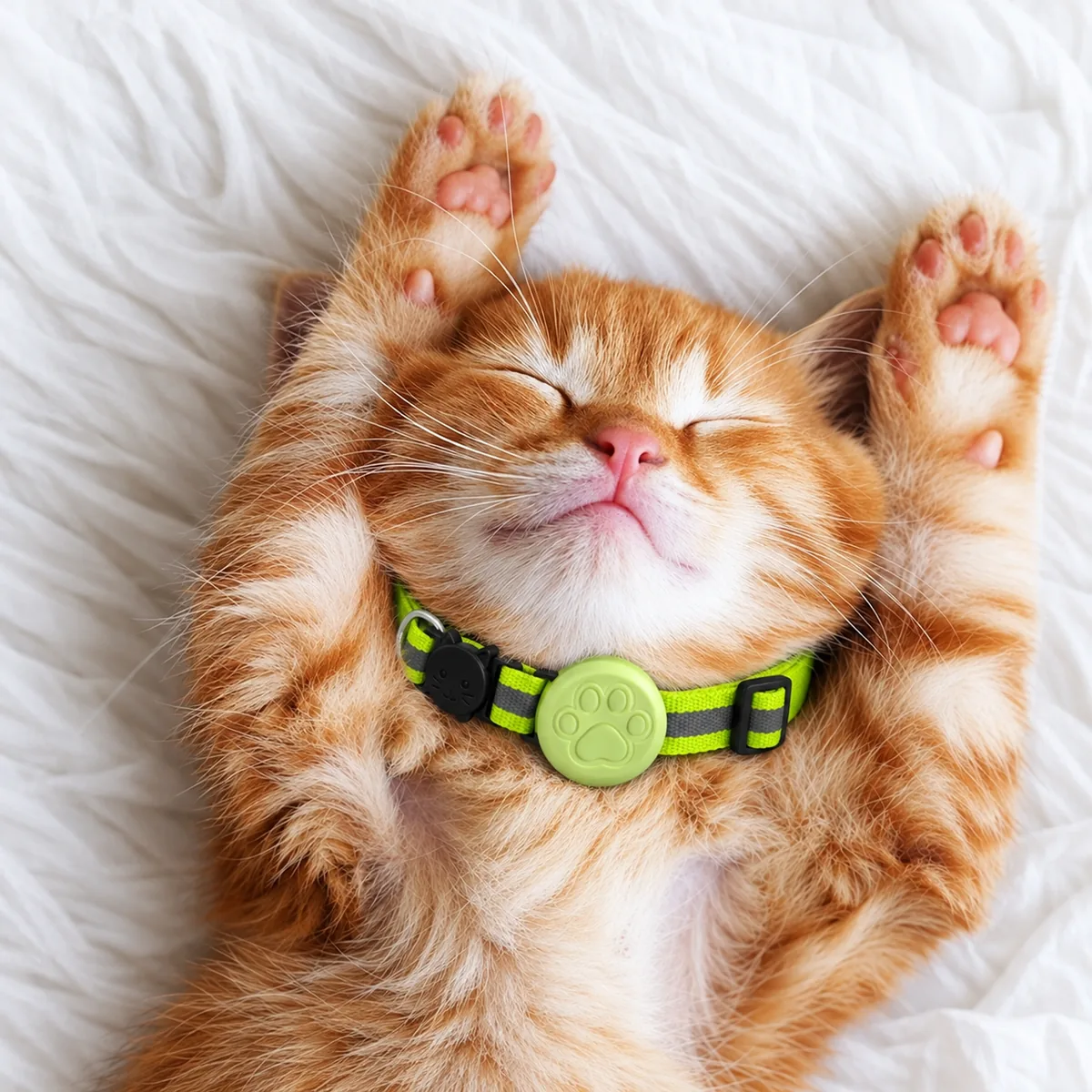
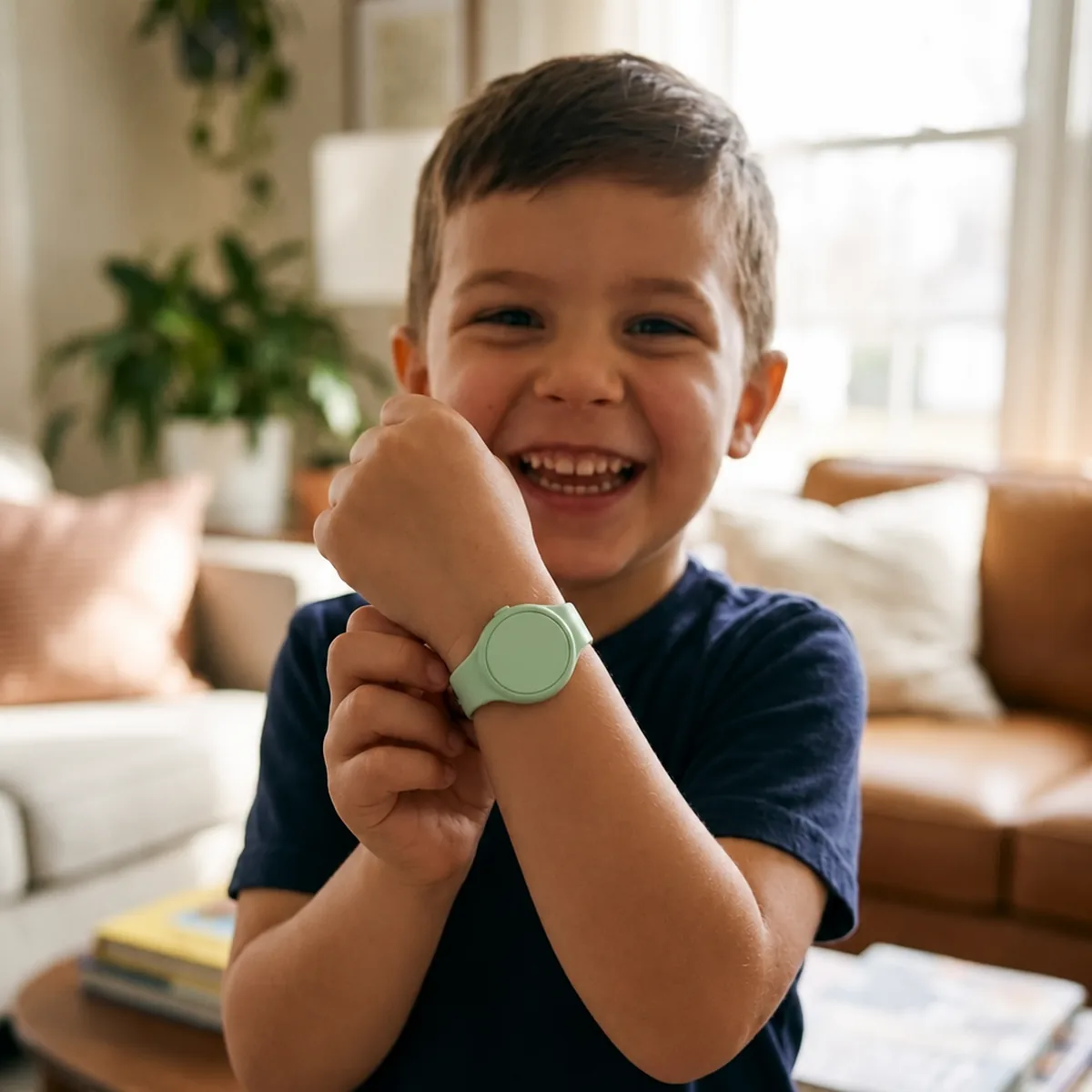
On your keys, in your bag, on the collar, on their wrist.
It comes in a silicone key ring. The pet collar and the kids’ watch band hold it too, and one account takes as many trackers as you like.
And the rest of what you carry
- Suitcase
- Laptop bag
- School bag
- Camera bag
- Gym bag
- Handbag
Drag to see more
And the rest of what you carry
- Suitcase
- Laptop bag
- School bag
- Camera bag
- Gym bag
- Handbag
Features
Small enough to forget. Easy to find again.
In the OWN app on iPhone and Android, and at findown.co.
Location history
Where it has been today, in the last 7 or 30 days, or all of it, on a map.
Left behind alerts
Turn them on and, while OWN is open, your phone tells you when you walk away from it, with where it last was. Add safe places, like home, where it stays quiet.
A battery you change yourself
A CR2032 coin cell, the kind most supermarkets and pharmacies sell. The app shows its level in four steps, so you change it before it runs out.
- Good
- Half
- Low
- Replace it now
Share it
Give the people you trust access to it, and they get its alerts too.
Works in any country
Phones on the network report it wherever it is. No SIM card.
On a computer too
Sign in at findown.co and open Trackers for the same map and history.
As many as you like
One account takes as many trackers as you want.
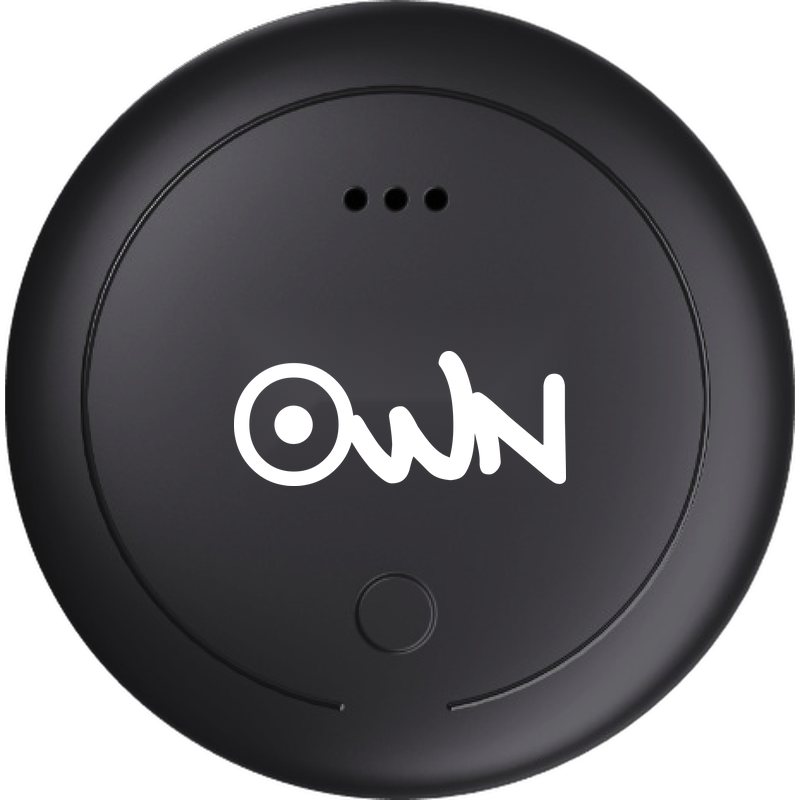
White or Black
The OWN mark on its face, in a silicone key ring.


The OWN app
It all happens in the OWN app.
Add the tracker, see where it was last reported and make it ring. The app is free, on iPhone and Android, and the same account works at findown.co.
iPhoneAndroidOr sign in at findown.co on a computer.
Buy
The OWN Tracker, and what holds it.
 In the boxThe tracker in its silicone key ring, with a CR2032 coin cell.
OWN Tracker
Pick a colour and how many.
EGP 850
Colour · Black
How many
Made for the tracker
A collar for a dog or a cat, and a band for a child’s wrist. Each holds one OWN Tracker, sold separately.
Questions
What people ask before they buy one.
Setting one up? The guide is just below, with the questions people ask while they do.
No. Phones on the network that pass near it report where it is, so the map shows where it was last reported. Somewhere nobody passes, the last report can be hours old.
Close: ringing goes over Bluetooth, which reaches a short distance, and less through walls and bags. Out of reach, keep the screen open and walk towards it.
Yes, through the OWN app on either.
A CR2032 coin cell, which you can replace yourself. The app shows its level: good, half, low, replace it now.
No. The app and findown.co are free, and so are the positions nearby phones report for your trackers.
No. Each holds one OWN Tracker, which you buy separately.
Yes. Unpair it in the app, then give them the box: they add it to their account with the code on it.
You, and the people you share it with from the app. Nobody else.
A QR tag works when somebody finds your thing: they scan it with any phone and message you. The tracker helps when you are the one looking: ring it nearby, or see where it was last reported.
Already have one? Set it up.
Rings so you can find it. Reports where it is. Here is how to set it up and use it, step by step.

It all happens in the OWN app
Add the tracker, see where it was last reported and make it ring, all from the app. Sign in with the same account you use on findown.co.
Set it up
It takes a minute. Keep the box: its code is what shows the tracker is yours.
01
Sign in to the OWN app
Open the app and sign in, or create an account.
Your phoneSign in, or create an account02
Keep the tracker next to your phone
Turn Bluetooth on. Your phone meets the tracker while you set it up, and that is what lets it ring later.
Your phoneTurn Bluetooth on03
Scan the code on the box
Go to Trackers, tap +, then Scan the box. Point the camera at the code on the sticker, not at the code that opened this page.
Your phoneThe code on the sticker04
Say what it is on
Choose what it is on, give it a name and add a photo if you like. Then tap Finish setup.
Your phoneFinish setup
It beeps when your phone reaches it. If it does not, it is still on your account, and it pairs with your phone the first time you ring it.
See where it is
The tracker has no GPS. Phones on the network that pass near it report where it is, so the map shows where it was last reported, with a circle for how sure that position is.
Under the address you see when it was located and when the report arrived. Somewhere nobody passes, the last report can be hours old.
- DirectionsOpens your maps app on the last reported position.
- Location historyWhere it has been today, in the last 7 or 30 days, or its whole history.
- On a computerSign in at findown.co and open Trackers to see the same map and history.
Make it ring
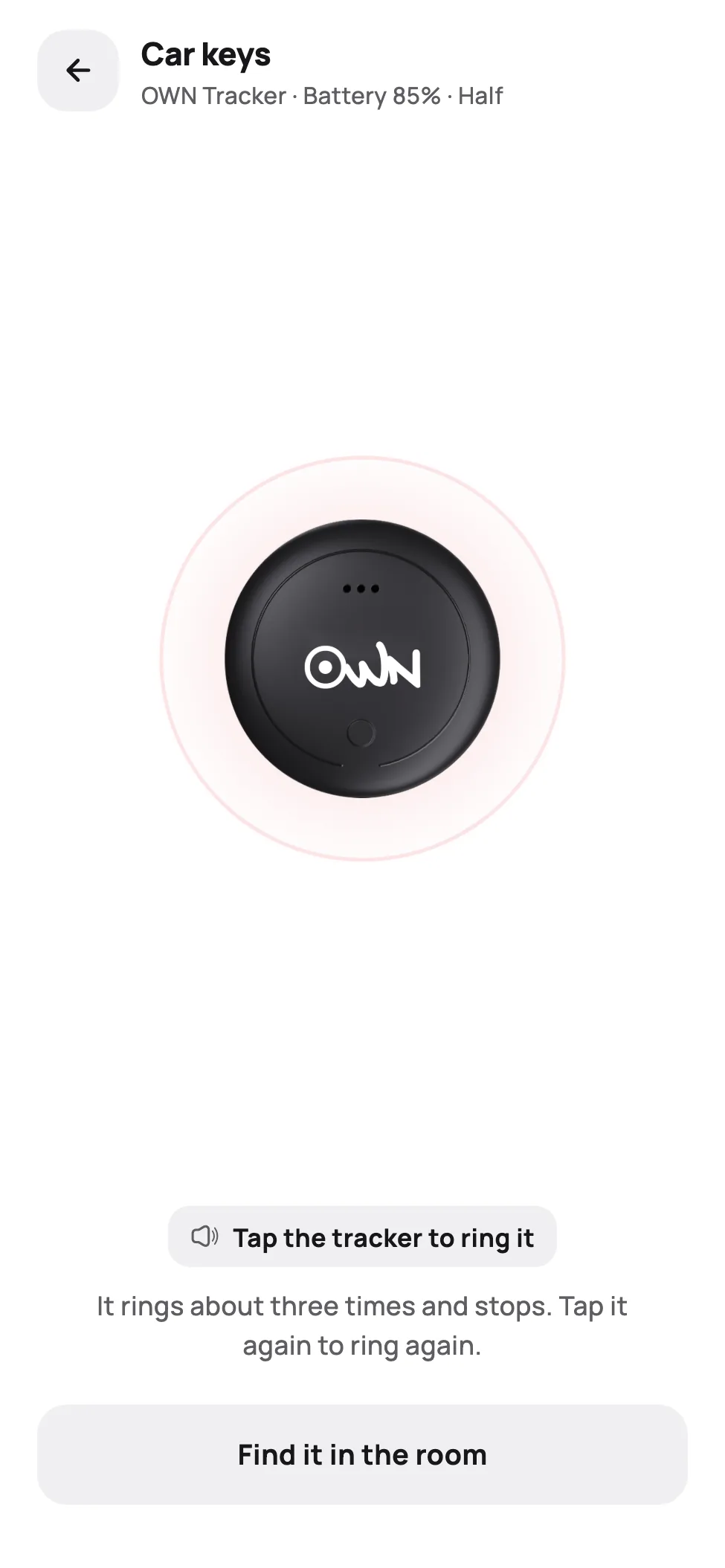
Open the tracker, tap Play sound, then tap the picture of the tracker. It rings about three times and stops. Tap it again to ring again.
Ringing goes over Bluetooth, so your phone has to be close to it. Bluetooth only reaches a short distance, and less through walls and bags.
- Out of reachKeep the screen open and walk towards where the map shows it. The app keeps trying for two minutes and rings it as soon as your phone reaches it.
- Find it in the roomShows how strong its signal is, from Far to Here, and ticks faster as you get closer.
Battery
It takes a CR2032 coin cell, and the app shows its level in four steps: good, half, low, replace it now. Not a percentage — a coin cell holds almost its whole charge until near the end, so a number would read like a fuel gauge and fall off a cliff.
- GoodNothing to do.
- HalfNothing to do yet.
- LowReplace the cell soon. The ring gets weaker first, while reporting carries on.
- Critically lowReplace the cell now.
Giving it to someone else
In the app, open the tracker, then Tracker settings, then Unpair this tracker. It comes off your account.
Give them the box as well: they add it to their account with the code on it. Unpairing does not switch the tracker off.
Questions
It says the tracker is on another account.
Whoever added it first has to unpair it from their account. Then scan the box again.
It says that is not a tracker code.
Scan the code on the sticker on the box. The other code opens this page.
It will not ring.
Get closer and keep the ringing screen open. If it rings some times and not others, that is a flat cell: it recovers while it rests and gives out again under use, so replace it rather than keep trying. If the app says the battery is too low to ring, replace the cell — a weak one still reports its position long after it can no longer make a sound. If another phone is connected to it, close OWN on that phone.
The map shows an old place.
The tracker reports when a phone on the network passes near it. Where nobody passes, the last report stays on the map until the next one arrives.
Does it track live?
No. It shows where the tracker was last reported, not a live position.
Warning: Contains a coin battery. Swallowing one can cause severe internal burns within 2 hours. Keep the tracker and spare cells away from children, and get medical help at once if you think a battery was swallowed.

Hang it on what you cannot afford to lose.
The app is free · No subscription